📦 GUIDE: DINO STORAGE SYSTEM
MillennialW0LF ·
how to store a Dino on the /dinosaurs page (link below)
Dino stats/storage
-
When you want to store a Dino on the dinosaur page, you click the store this Dino button. It will ask you to add a note about the Dino(it is optional).

-
Once you click the button, it will place your Dino into the storage at the bottom of the page(example below)
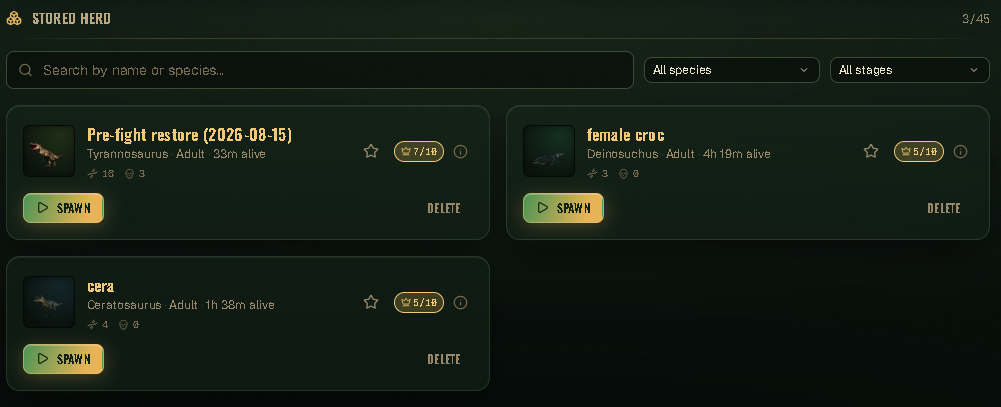
With a stored Dino you can see information like:
-
How many mutations it has and what they are.
-
How many times it's been entombed.
-
How many prime tasks you have completed.
-
You can delete your stored Dino’s just by the click of the delete button.
-
and the Dino's vitals.
-
Before spawning in a stored Dino either store your currently used Dino or use the slay this Dino button then in the spawn screen in game pick the Dino you want to use from your stored list, once you have spawned in come back to the website and click the spawn button that`s connected with the stored Dino you want to use.

-
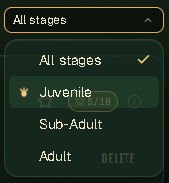
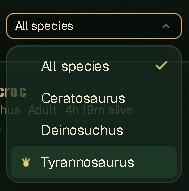
If you have multiple Dino's stored you can use one of the following options to shorten the list you're looking at either by the Dino's stage or by the Dino's species.
-
If you join an event to PvP, once the event is over your Dino will be in the stored section, same as before at the spawn screen select the Dino you want to use before going back to the website to click spawn