💾 GUIDE: HOW TO INSTALL EVRIMA FOR THE ISLE
ElizabethFRSA ·
Step 1:
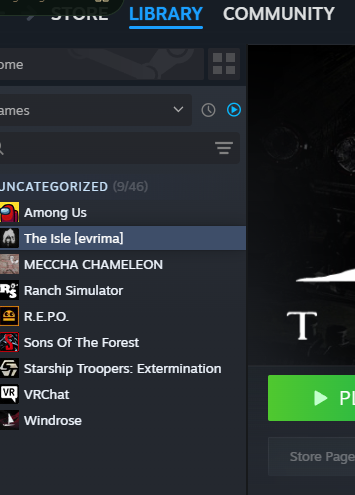
Open Steam Launch Steam and go to your Library.
Step 2:
Find The Isle Locate The Isle in your game list.
Step 3:
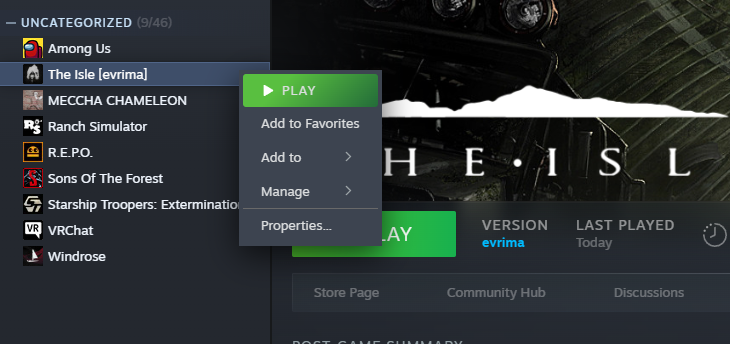
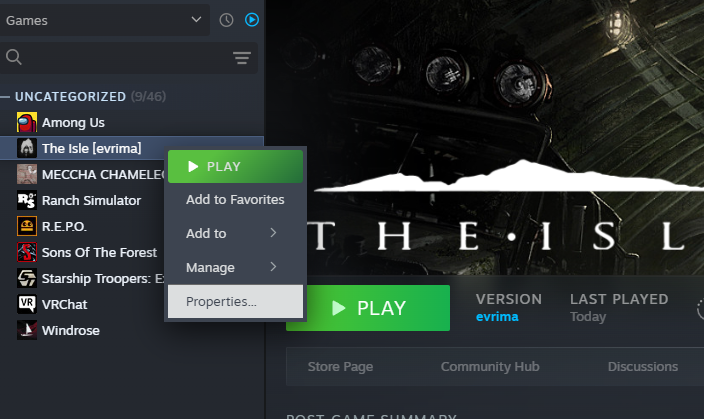
Open Properties Right-click The Isle and select Properties.
Step 4:
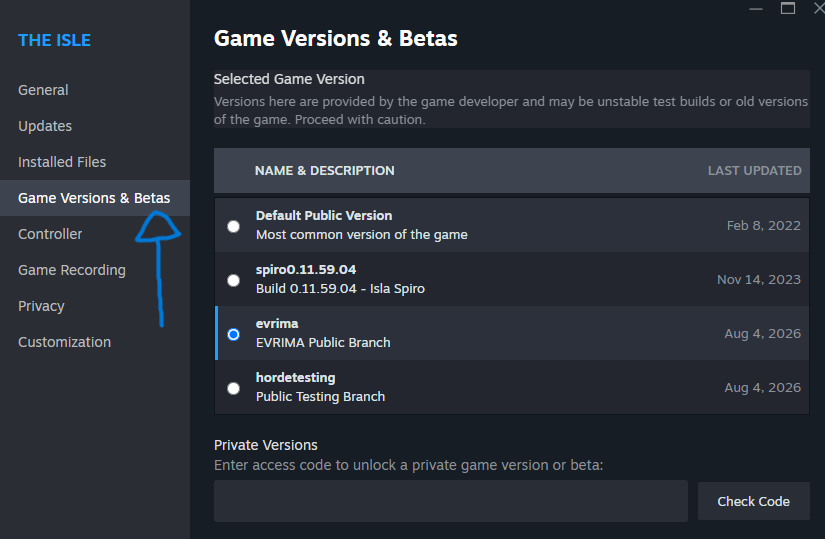
Open the Betas Tab On the left-hand side, click Betas (or Game Versions & Betas, depending on your Steam version).
Step 5:
Select EVRIMA Click the version drop-down menu and choose: evrima – EVRIMA Public Branch
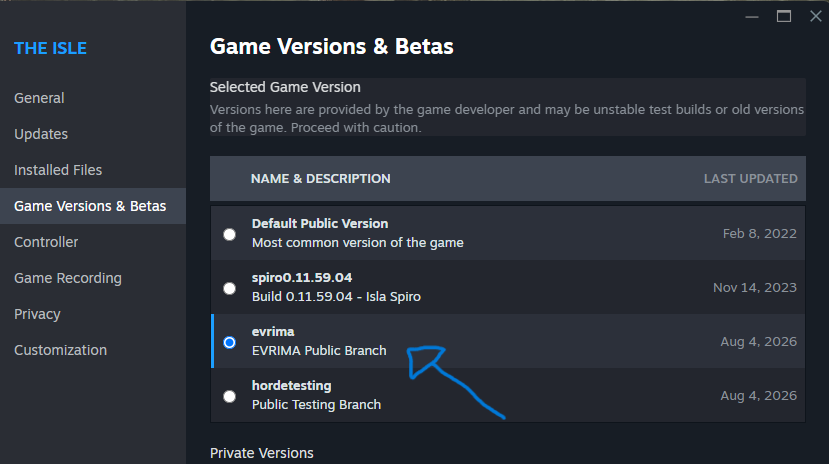
Steam will immediately begin downloading the EVRIMA update. This may take a while depending on your internet speed.
Step 6:
Launch the Game Once the download has finished, click Play. Congratulations! 🎉 You are now playing The Isle: EVRIMA.